
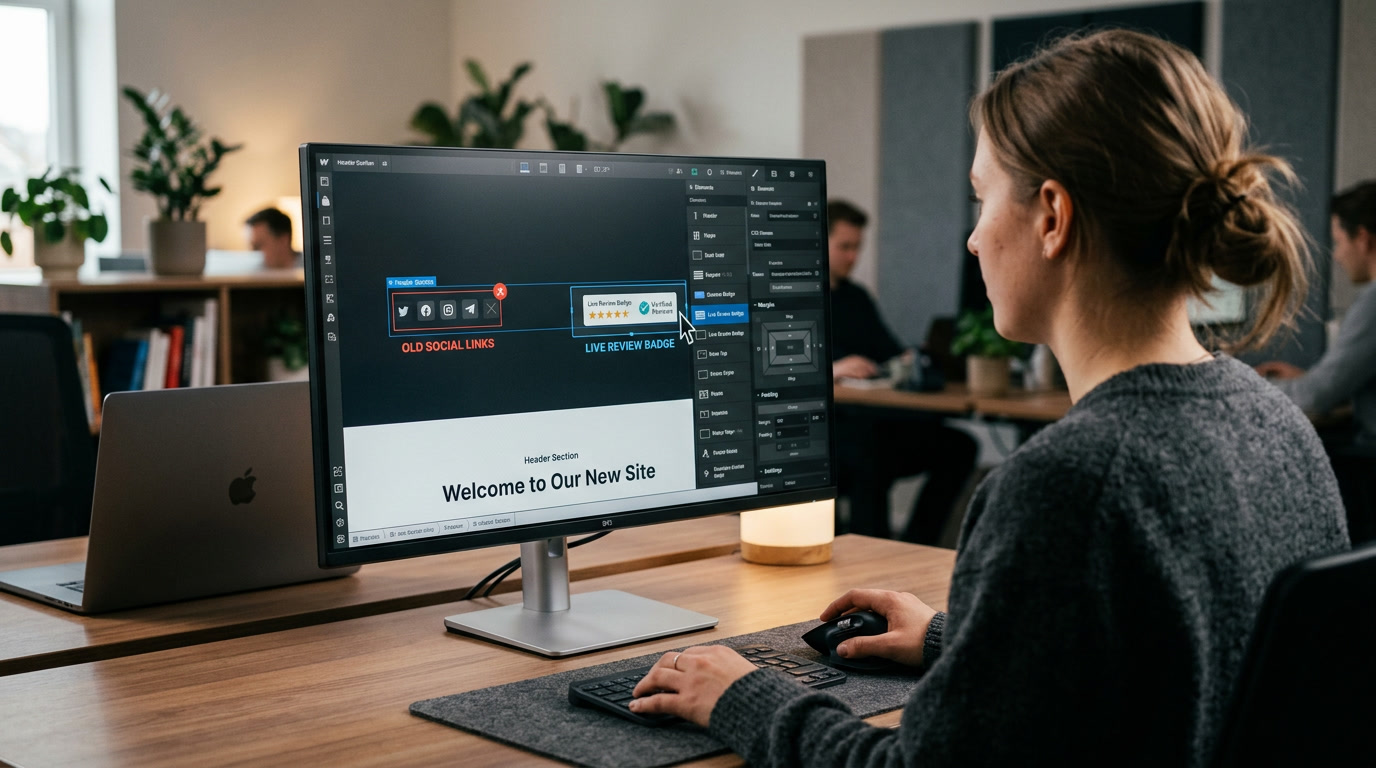
The Dead Social Links Ghost Town: How Abandoned Profiles Sabotage Your Website Leads
You spend thousands of dollars driving local traffic to your website. A prospective client lands on your homepage, likes your offer, and looks for proof that your business is legitimate.
Right at the top of your header, they spot your social media icons: Facebook, Instagram, and X. They click your Facebook link to check out your recent work.
The page opens. Your last post was published in November 2023.
There are no recent photos, no comments, and no sign of life.
To you, an outdated social page just means you’ve been too busy working to post online. But to a local homeowner or commercial buyer in 2026, an abandoned social profile triggers one immediate, devastating thought: “Did this company go out of business?”
Welcome to The Dead Social Links Ghost Town.
Leaking Warm Traffic Off Your Website
Placing prominent social media buttons in your website header is a relic of 2012 web design. When you put bright social icons at the top of your page, you invite visitors to leave your high-converting website and enter the distraction-filled ecosystem of social media.
And if those channels are digital ghost towns, you pay a double penalty: you lose their attention and destroy their trust.
THE GHOST TOWN LEAK (High Abandonment)
[User Lands on Site] ➡️ [Clicks Header Facebook Icon] ➡️ [Sees Last Post from 2023] ➡️ 🚨 "ARE THEY STILL OPEN?" (LEAVES)

THE ACTIVE SOCIAL PROOF ENGINE (High Conversion)
[User Lands on Site] ➡️ [Sees Live Google Review Feed] ➡️ [Sees Verified Local Badges] ➡️ 🔒 BOOKS SERVICE
How to Audit and Fix Your Social Proof Flow
Fixing your social proof layout doesn’t mean you have to post on Instagram five times a day. It means controlling where you direct your prospective buyer’s attention.
1. Apply the “Active or Delete” Rule
Audit every social media link on your website today. If a profile hasn’t been updated in the last 30 days, remove the icon from your website immediately. No social media icon is infinitely better than a dead social media link.
2. Replace Header Social Icons with Live Google Reviews
Move your social media icons out of the main navigation completely. Replace them with dynamic, live-updating Google Review widgets, local licensing badges, or verified customer star ratings. Show active trust where it counts most.
3. Relocate Social Icons to the Footer
If you maintain active social channels, place those icons in your website footer. Keep your main navigation focused entirely on conversion actions: your phone number, service areas, and quote request forms.
Stop Sending Hot Leads to Digital Graveyards
At AD Media Group, we optimize local business digital storefronts to eliminate conversion leaks. We replace outdated web clutter with high-converting social proof frameworks, live review integrations, and friction-free lead capture systems that build instant local authority.
The Social Proof Self-Audit (15-Second Test)
🧪 Check your website headers right now:
- Click every social media button on your homepage header.
- Has it been more than 30 days since your last meaningful post on those pages?
- If yes, delete those header buttons today—or replace them with a live Google Review badge.
No responses yet